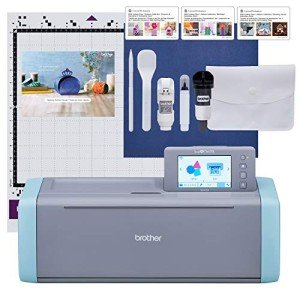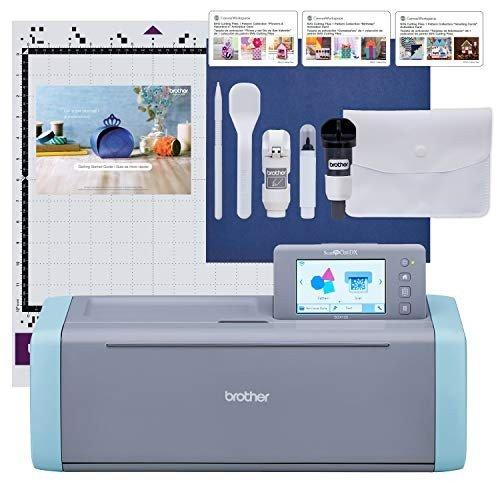
If you’re ready to jump into the world of crafting, the Cricut Joy is a fantastic place to start! This little machine packs a punch and makes creating custom designs a breeze. Setting it up is super easy, so you can dive right into your projects without any hassle.
First things first, you’ll need to download the Cricut Design Space app on your phone or computer. This app is your best friend! It’s loaded with thousands of ready-to-use designs and fonts, plus it lets you create your own from scratch. You can browse projects, size your designs, and send them right to your Cricut Joy with just a few clicks.
Once you’ve got your app ready, plug in your Cricut Joy and connect it via Bluetooth or USB. Choose some fun materials like vinyl, cardstock, or iron-on sheets. It’s all compatible with this machine! Load your material, select your design, and hit the go button. In minutes, you’ll have a perfectly cut design. It’s that simple!
Don’t forget to explore different project ideas! From custom stickers to one-of-a-kind greeting cards, the possibilities are endless. Perfecting your skills takes a bit of practice, but that’s part of the fun. Every project will help you learn and build your confidence as a crafter.
Designing Made Easy
Designing with Cricut Joy is a total breeze! This little machine is perfect for anyone looking to bring their creative ideas to life, whether you’re a seasoned pro or just getting started. The user-friendly interface means you don’t need to be tech-savvy to whip up some amazing projects.
With Cricut Joy, you can cut and write like a champ. It handles a variety of materials, from paper and vinyl to cardstock and even iron-on fabrics. Got an idea? Just choose a design from the free library or upload your own. It’s as simple as clicking a few buttons to set everything up. Before you know it, you’ll be personalizing cards, making labels, or even creating custom T-shirts.
The smart materials are a game-changer. You don’t even need a cutting mat with these! Just load them, and Cricut Joy does the rest. Plus, its compact size makes it easy to store or take on the go for crafting parties. Talk about convenience!
If you love to mix things up, Cricut Joy’s design app is a fantastic tool. You can adjust sizes, colors, and the overall look of your projects right from your phone or tablet. Need some inspiration? The app features tons of templates, so you’ll never run out of ideas!
Creating Fun Customized Projects
Creating customized projects with your Cricut Joy is such a blast! You can turn your ideas into reality with just a few simple steps. Whether it’s a unique greeting card for a friend’s birthday or a one-of-a-kind vinyl decal for your laptop, the possibilities are endless.
First up, think about what you want to make. Have a favorite quote? Want to personalize a gift? Jot down your ideas. Cricut’s design software makes it super easy to sketch out your vision. You can use their pre-made designs or upload your own images. It’s all about making something that reflects your style.
Next, gather your materials. You’ll need adhesive vinyl, cardstock, or whatever fits your project. Cricut Joy works with a wide range of materials, so you can get creative. Cut your materials with precision using the machine's smart cutting technology, and watch as it brings your ideas to life.
Once you’ve cut out your designs, it’s time to assemble everything. You might need some transfer tape for vinyl projects. Just place it on top of your design, peel it off, and stick it wherever you want! It’s all about having fun and experimenting. Don't stress about making it perfect; the joy is in the process!
Tips for Amazing Crafting Adventures
When it comes to crafting with your Cricut Joy, having a bit of direction can really spark your creativity. Here are some handy tips to amp up your crafting adventures and make every project a breeze.
First things first, always keep your workspace organized. A clutter-free area lets you focus better and prevents losing those tiny pieces you need. Set up a system for your materials—whether it's baskets, bins, or just a clean table—so you can easily grab what you need without digging through a mess.
Next, experiment with different materials. The Cricut Joy isn’t just for paper! Try out vinyl, iron-on, or even cardstock for a 3D effect. Each material offers its unique touch to your projects, and you might discover new favorites along the way. Don’t be afraid to step out of your comfort zone!
Also, take advantage of Cricut’s Design Space. This tool is a game changer. Play around with templates and make them your own. Add your personal flair by changing colors, fonts, and designs. The more you play, the better you’ll get at envisioning your final product before you even cut anything.
Lastly, connect with the crafting community. Find inspiration on social media or forums. Sharing ideas and getting feedback can help you grow and spark new projects. Plus, it’s always nice to celebrate your wins with fellow crafters!